Video Walkthrough
Watch our short tutorial covering the entire API key setup process.
Create Your FAL.ai Account
Head over to FAL.ai and create a free account. You can sign up instantly using your Google (Gmail) account — no manual registration needed.
Visit FAL.aiGenerate Your API Key
Once you're logged into FAL.ai, navigate to the API Keys page in your dashboard. Click the "Add Key" button to generate a new API key.
Open API Keys Page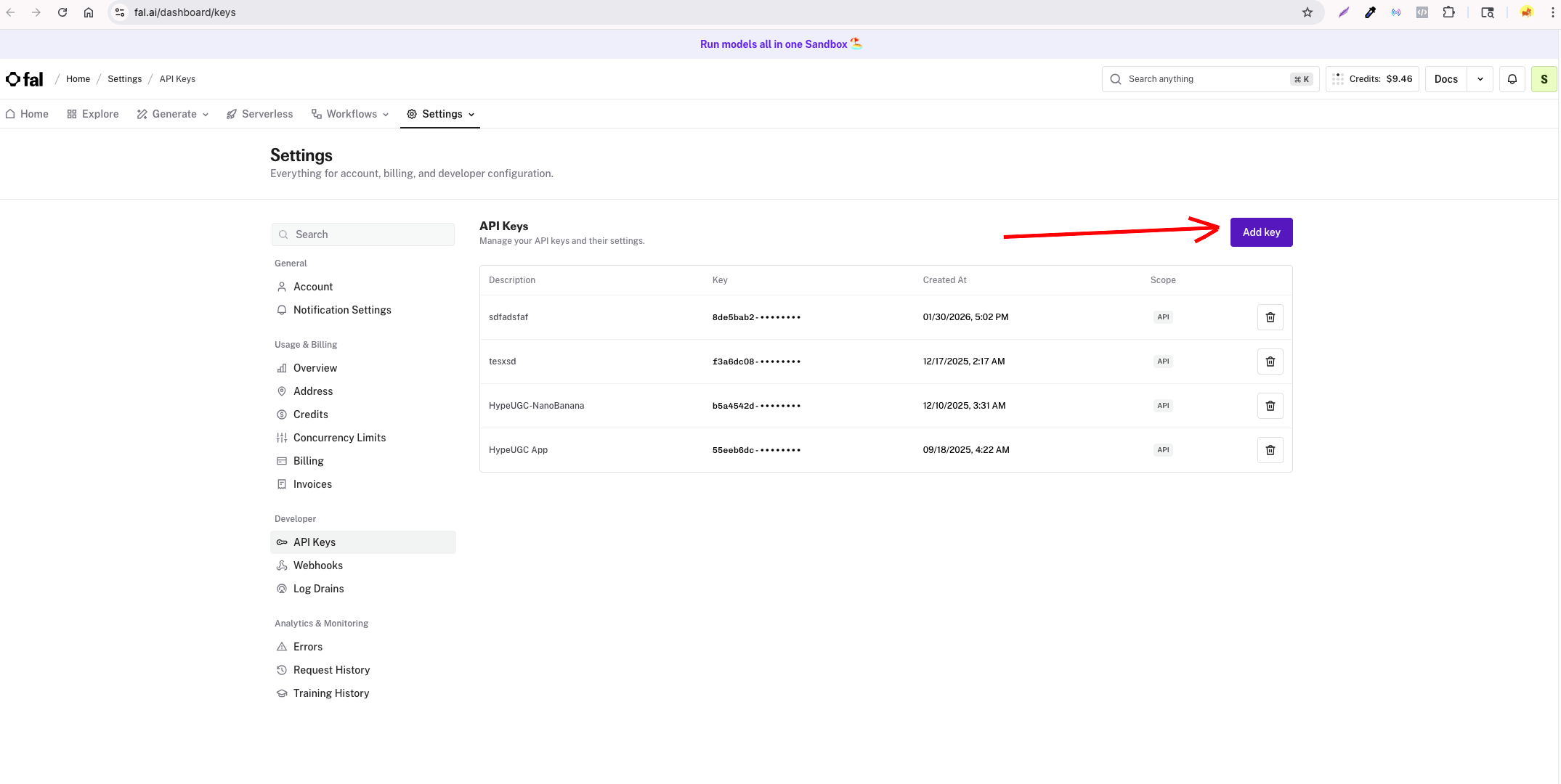
Add the Key to HypeUGC
Go to the HypeUGC Settings page. Scroll down to the "FAL.ai API Key" section, paste your API key into the input field, and click "Save".
Open HypeUGC Settings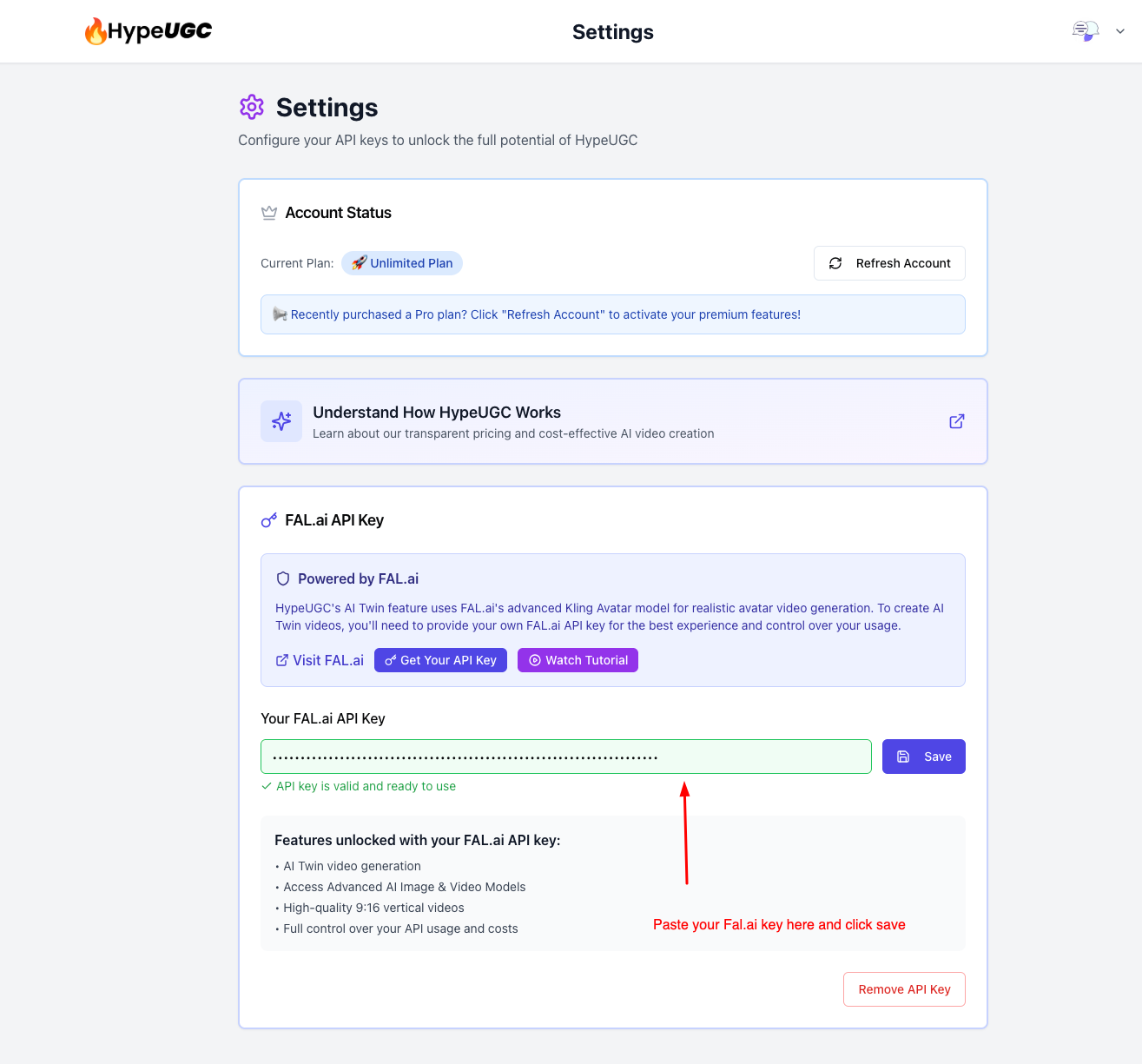
You're All Set!
Once your API key is saved and validated, you'll see a green "API key is valid and ready to use" confirmation. You now have access to all the AI-powered features:
- AI Twin video generation
- Access to advanced AI Image & Video Models
- High-quality 9:16 vertical videos
- Full control over your API usage and costs